
Forms are a crucial part of almost every web application. Whether you're building a simple contact form or a complete registration page, understanding how to manage form state efficiently is key.
In this guide, we'll explore two approaches to handling forms in React:
- Using plain React state (
useState) - Using React Hook Form, a popular library for easy and scalable form validation
By the end of this guide, you’ll clearly understand when and why to move from simple form state management to React Hook Form.
🧩 1. Simple Form State Handling Using useState
Let's begin with the traditional way — managing form input state manually using React's useState hook.
💡 What You'll Learn
- How to store input values
- How to handle changes and submissions
- How to show submitted data on screen
Here’s a basic example 👇
🧠 How It Works
useStatestores form input values (formData).handleChangeupdates the form state every time a user types something.handleFormSubmitprevents page reload and logs/submits data.- The form also toggles password visibility using the
FaEyeandFaEyeSlashicons.
This approach is simple and works fine for small forms.
However, once forms get bigger and need complex validation, managing state manually becomes repetitive.
⚠️ Limitations of Manual Form Handling
While the above approach works for small projects or simple forms, it starts to become unmanageable as your form grows.
Here’s why:
- ❌ You manually handle every
onChangeanduseStatefor each field. - ❌ You write custom validation logic repeatedly.
- ❌ Tracking form errors and showing them to the user is tedious.
- ❌ Performance can suffer when forms become large.
That’s where React Hook Form (RHF) comes in — a powerful and developer-friendly library that makes form handling clean, efficient, and scalable.
⚙️ 2. Advanced Validation Using React Hook Form
React Hook Form is a lightweight library that makes form validation simpler, faster, and more maintainable.
It provides:
- ✅ Automatic state management
- ✅ Built-in validation
- ✅ Easy integration with UI libraries
- ✅ Better performance (fewer re-renders)
Let’s rebuild our form using React Hook Form 👇
🪜 Step-by-Step: Understanding Form States with ui
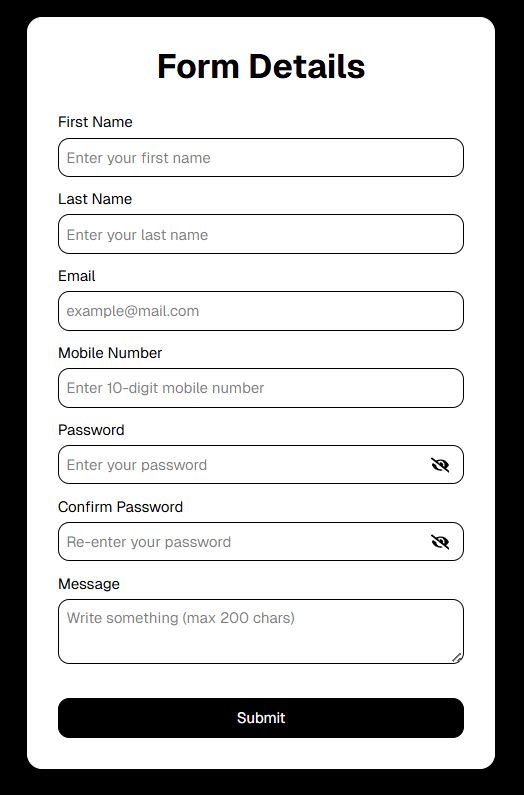
🖤 1. Blank Form (Initial State)
- The form is rendered with empty fields.
- No validation has been triggered yet.
- All fields are blank and no error messages are visible.
formData(or RHF’s internal state) looks like this:
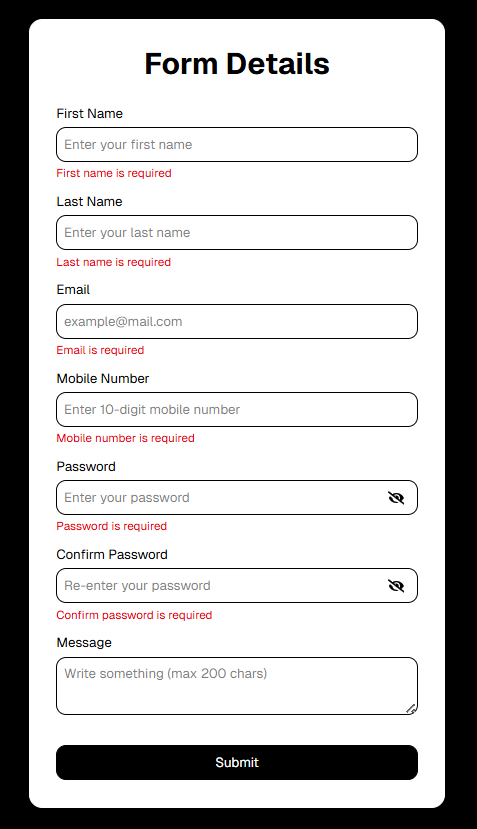
🖤 2. Validation Errors (Error State)
- The user starts typing or submits without filling all required fields.
- Validation rules run, and errors are displayed below each invalid input.
- Red error messages appear, and invalid fields might get a red border or shake animation.
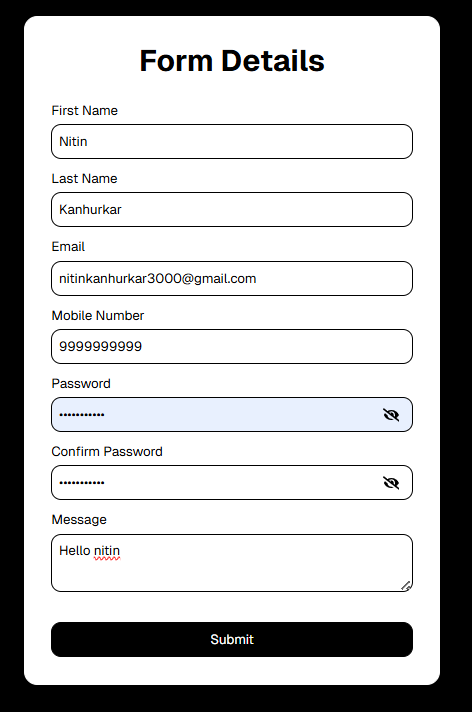
🖤 3. Form Filled (Valid State)
- All fields meet validation requirements.
- Input borders return to normal
- Error messages disappear
- Submit button becomes active
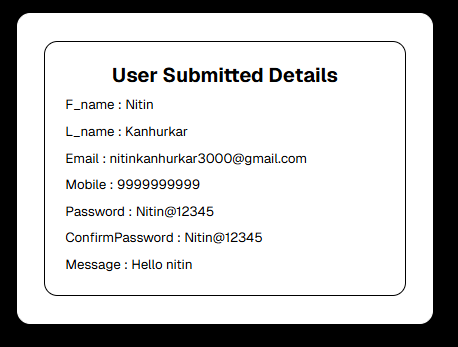
🖤 3. Submitted Data (Output State)
- The user clicks Submit, and
handleSubmit()triggers. - Form data is logged or sent to an API.
- A success toast or message appears (e.g., “Form submitted successfully 🎉”)
- The form may reset or navigate to another page.
🧩 Understanding the Key Concepts
register
Connects an input field to React Hook Form’s state and adds validation rules.
or
or
handleSubmit
A higher-order function that handles form submission and prevents the default browser reload.
watch
Allows you to monitor a specific field’s value (useful for password confirmation).
errors
Stores all validation errors.
You can show specific messages conditionally using errors.fieldName.
💬 Why Use React Hook Form?
Feature | useState Approach | React Hook Form |
|---|---|---|
| State Management | Manual | Automatic |
| Validation | Manual logic | Built-in + flexible |
| Performance | Frequent re-renders | Optimized |
| Code Length | Long | Short & scalable |
| Reusability | Harder | Easier |
🚀 Conclusion
When building simple forms, managing state with useState is fine.
But as your application grows, switching to React Hook Form gives you:
✅ Cleaner code
✅ Real-time validation
✅ Better performance
✅ Easier maintenance
If you’re working on login, signup, or large multi-step forms, React Hook Form will save you hours of code and debugging.
Happy coding! 💻✨